Last updated: August 20, 2026
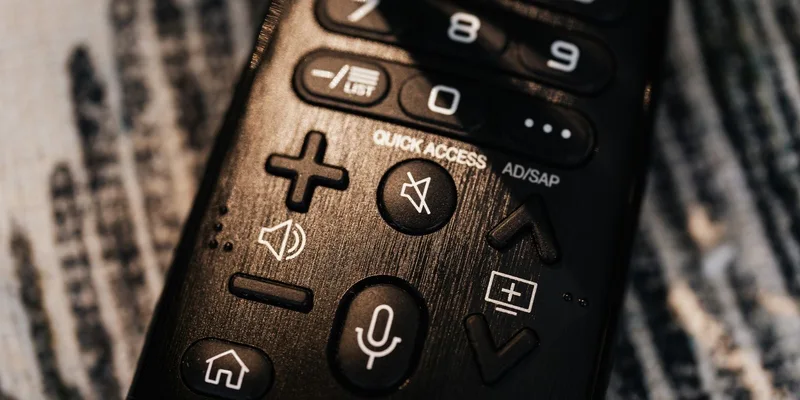
A modern television remote has around forty buttons, most of them the same size, several of them for services nobody in the house subscribes to, and a directional pad in the middle that does something different depending on what is on screen. It is a genuinely difficult object, and the difficulty has nothing to do with age.
Big button remotes exist because of that. They strip the count down, make what remains large and clearly labeled, and in the most extreme versions reduce the whole thing to two buttons and a printed card of channel numbers. This guide covers the types, and the compatibility question that decides whether any of them will work with a particular television.
This article contains affiliate links. If you buy through them, we may earn a commission at no extra cost to you. Learn more.
Quick Answer
Which big button TV remote should you choose?
- Work out first whether the television is controlled directly or through a cable box or streaming stick, because that decides what the remote has to talk to.
- A universal big button remote covers a normal television and set top box once programmed with the right code.
- A learning remote copies signals from the existing remote, which is the reliable route when codes do not work.
- Two button remotes with a printed channel card are the simplest option and suit a fixed short list of channels.
Bottom line: identify what the current remote controls, then choose the simplest remote that covers exactly that, and program it before handing it over.
Work Out What Is Actually Being Controlled
Before comparing remotes, sit in front of the television and note which devices are involved. A television alone is one signal. A television plus a cable box is two. A television plus a streaming stick is two, and the stick may not use the same kind of signal at all. Everything about the purchase follows from this.
The reason it matters is that most big button remotes send infrared, the same technology television remotes have used for decades. Traditional televisions and cable boxes accept it. Several popular streaming sticks use a radio signal instead and do not, which is the single most common reason a replacement remote arrives and does nothing.
Check for an Infrared Window
Look at the front of each device for a small dark plastic window, and check whether the current remote has to be pointed at it to work. If the existing remote works from behind a cushion or around a corner, it is probably not infrared, and a plain universal remote will not replace it. Some streaming devices accept infrared as well as radio, which the manufacturer’s support page will confirm.
Universal Big Button Remotes
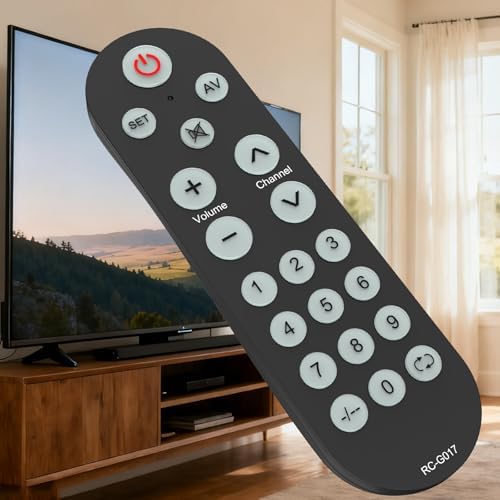
This is the mainstream option: a remote with perhaps a dozen to twenty oversized keys, high contrast printing, and a code based setup that teaches it which brand of television and box it is talking to. Volume, channel, power, mute, and the number pad are large. The rest is either absent or shrunk deliberately.
Setup uses a code list in the manual, entered once per device. Modern versions often add an automatic search mode that steps through codes until the television responds. Neither is difficult, but both take a few minutes, and the remote should never be handed over before it has been programmed and tested.
How Many Devices It Controls
Listings state the number of devices a universal remote handles, commonly between one and four. A household with a television and a cable box needs at least two. There is no advantage in buying an eight device remote for a two device setup, because the extra source keys are exactly the sort of clutter this category is meant to remove.

Two Button and Channel Card Remotes
At the far simple end sits a category of remote with a handful of very large keys and a card of favorite channels, where each row of the card corresponds to a button or a labeled position. Nothing scrolls, nothing changes, and the channel list is written in the household’s own handwriting.
These have a small following that borders on devotion, and the reason is that they remove the entire problem rather than shrinking it. The trade is total inflexibility: the channels are the channels until somebody reprograms them, and there is no way to reach anything else. For a person who watches five channels, that is a feature.
Programming the Card
Setup involves entering each channel number against a slot, then writing the channel name on the printed card and sliding it in. Do it with the person watching, and use the names they use rather than official broadcaster branding. Redo the card whenever the provider renumbers channels, which happens more often than anyone expects.

Learning Remotes
A learning remote copies signals directly from an existing remote, key by key, by holding the two units nose to nose. Instead of relying on a code list, it captures whatever the original sends. That makes it the answer for unusual equipment, older boxes, and any situation where the code approach has failed.
The catch is that the original remote has to still work, at least well enough to transmit. If it is already lost or dead, a learning remote has nothing to learn from. Program it while the original is still around, then keep the original in a drawer as the backup rather than throwing it out.
Copy Only the Keys That Get Used
The temptation with a learning remote is to map every key. Resist it. Copy power, volume up and down, mute, channel up and down, and the numbers, and leave the rest blank. A remote with six populated buttons and eight dead ones is still simpler than the original, and every mapped key is a key that can be pressed by mistake.
Backlighting, Weight, and Where It Lives
Backlit keys matter in a room where the television is the main light source, which is most living rooms in the evening. Some remotes light up when picked up via a motion sensor, others need a dedicated key pressed. The motion activated versions are better in practice because nobody has to find a button in order to see the buttons.
Weight and shape are underrated. A remote that is too light slides off a chair arm, and one that is too slim is hard to hold with stiff fingers. A slightly chunky remote with a rubberized back stays where it is put, which is worth more than an extra feature.
Give It a Home
Most calls about a lost remote are about a remote that never had a place. A shallow tray or a caddy on the arm of the chair, or a holder attached to the side table, gives it one. Some remotes ship with a wall or chair mount, and a strip of hook and loop tape does the same job for anything else.
Comparing the Remote Types
| Type | Suits | Watch out for |
|---|---|---|
| Universal big button | Television plus a cable box | Needs the right device code |
| Two button with channel card | A short fixed channel list | Nothing outside the card |
| Learning remote | Unusual or older equipment | Original remote must still work |
| Replacement brand remote | Exact match to one television | Same layout, same small keys |
| Streaming stick remote | Streaming only households | Often radio, not infrared |
Setting One Up Before Handing It Over
Program it at your own house or at the kitchen table, not in front of an expectant audience. Enter the codes, test every key against the actual television and box, and then simplify: put a small piece of tape over any key that does nothing useful, so the surface only has live buttons on it.
Then swap the remotes properly. Take the original one out of the room and put it in a labeled drawer rather than leaving both on the side table, because two remotes on a table is worse than one complicated one. Write the model and the device codes on a card and keep it with the manual.
Frequently Asked Questions
Will a big button remote work with my television? It will if the television accepts infrared, which nearly all do, and if the remote’s code list includes that brand. Universal remotes list supported brands, and most also offer an automatic code search.
Do big button remotes work with streaming sticks? Often not, because several popular streaming devices use a radio signal rather than infrared. Check the device manufacturer’s support page, since some models accept infrared as well.
What is a learning remote? One that copies signals directly from an existing remote rather than using a code list. It handles unusual equipment well, but the original remote has to still work in order to be copied from.
How many buttons should a simple remote have? Only as many as get used, which for most households is power, volume, mute, channel, and the numbers. Anything beyond that adds surface area for accidental presses.
Can I get a remote with only channel and volume? Yes. Very simple remotes with a handful of oversized keys exist, some with a printed card of favorite channels. They suit a fixed short channel list and cannot reach anything outside it.
Are backlit remotes worth it? In a room where the television is the main light in the evening, yes. Versions that light up automatically when picked up are more useful than ones needing a button pressed to enable the light.
What if the remote keeps getting lost? Give it a fixed place: a caddy on the chair arm, a tray on the side table, or a mount. Some remotes ship with a holder, and hook and loop tape works for the rest.
The Bottom Line
Start by identifying what the current remote actually controls, because a television and a cable box need a two device universal remote while a radio based streaming stick may not be replaceable with an infrared remote at all. Choose the simplest option that covers the real list of channels, program and test it before handing it over, tape over the keys that do nothing, and give the remote a fixed home. Keep the original in a drawer, not on the table. If sound rather than control is the frustration, our TV listening device guide covers the other half of the living room problem.