Last updated: August 20, 2026
Almost everything marketed as fall detection comes attached to a monthly plan. That is not an accident: the recurring fee usually pays for a staffed monitoring center, and the pendant itself is often the cheap part of the arrangement. Families who go looking for a version without a contract quickly find that the honest options are few, and that they work differently from the monitored ones in ways worth understanding before buying anything.
This is an editorial look at what genuinely exists without a subscription, what the trade off is, and who each approach actually suits. It is not a product roundup, because the honest answer here is that the category is small and the decision hinges on circumstances rather than on picking a winner.
This article contains affiliate links. If you buy through them, we may earn a commission at no extra cost to you. Learn more.
Quick Answer
Is there fall detection without a monthly subscription?
- Yes, mainly on mainstream smartwatches. Apple Watch, Google Pixel Watch, and some Samsung models include fall detection at no recurring cost.
- The difference is who answers. A subscription buys a monitoring center; a watch calls emergency services and the contacts you listed, and nobody is watching in between.
- It only works while it is worn and charged, which is the practical limitation families underestimate.
- In-house pagers and call buttons are subscription free but require the person to press them, so they cover a different problem.
Bottom line: subscription free fall detection is real and it lives on smartwatches, provided the person will wear and charge one.
What You Are Actually Paying For With a Subscription
A monitored service charges monthly because there is a staffed center at the other end. When a device triggers, a person calls back, assesses the situation, and escalates to emergency services or to a family member. That human step is the product, and it is genuinely useful for someone who lives alone with no relatives nearby.
Subscription free devices skip that layer. The device itself makes a call or sends an alert directly, and whoever is on the list has to pick up. That is a real difference in outcome rather than just in price, and it is the trade off at the center of this whole decision.
The Smartwatch Route Is the Real Option
Fall detection on mainstream smartwatches is included with the device and carries no recurring fee. The Apple Watch has offered it for years, Google’s Pixel Watch includes it, and several Samsung Galaxy Watch models do too. When the watch detects a hard fall and the wearer does not respond to the prompt, it places a call and notifies the emergency contacts stored on the device.
The Apple Watch is the most widely discussed of these, partly because it has been available longest and partly because a cellular model can make that call without a phone nearby. For a person who is out walking or in the garden, that difference matters.
Where the Watch Route Falls Down
A watch has to be worn and it has to be charged, usually daily. Somebody who takes it off at night misses the hours when getting up to the bathroom happens, which for many households is the very window they were worried about. Setup also assumes a smartphone, an account, and someone comfortable enough with the interface to keep it working.
There is a comfort question as well. A watch that is uncomfortable in bed, awkward with arthritis affected hands, or simply not the sort of thing the person has ever worn tends to end up in a drawer, and a device in a drawer detects nothing.
How Reliable Is Automatic Detection Anyway
Manufacturers are careful in their own wording, and so should we be. Automatic detection looks for a specific pattern of hard impact followed by stillness. A slow slide down a wall, a controlled lowering onto the floor, or a fall onto a soft surface may not produce that pattern, while a dropped arm or a heavy gesture sometimes does.
That cuts both ways: it means false alarms happen, and it means some real events do not trigger. Fall detection is best understood as a backstop that may catch an event when the person cannot press anything, not as a guarantee that any event will be caught. Every device of this type still includes a manual button for exactly that reason.
Comparing the Subscription Free Approaches
| Approach | How it calls for help | Best suited to |
|---|---|---|
| Smartwatch with fall detection | Automatic call to emergency services plus alerts to listed contacts | Someone who already wears a watch and manages a phone |
| Cellular smartwatch | Same, and works away from home without a phone | Someone active outside the house |
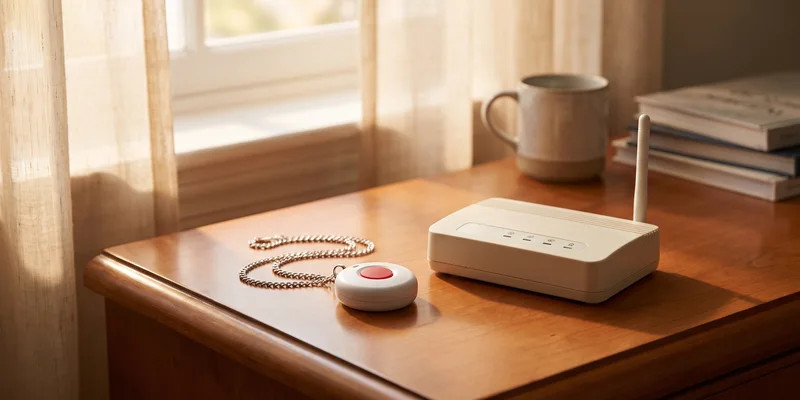
| Wireless call button and pager | Person presses a button, receiver sounds elsewhere in the house | Households with someone else at home |
| Alert device with no monthly fee | Dials preprogrammed numbers when pressed | Someone who wants a simple wearable button, not a watch |
| Phone kept on the person | Manual call, no detection at all | The baseline everyone should have regardless |
What a Subscription Free Setup Needs to Work
The device is only half of it. The other half is a contact list that has been thought through: two or three people who realistically answer their phone, in an order that reflects who is nearest, and who know they are on the list and what to do if they get the alert.
Then there is access. If a neighbour or relative gets an alert and arrives to a locked door, the alert has bought very little. A key with a trusted neighbour, or a keypad lock, is the unglamorous part of the plan that makes the rest of it useful.
Do Not Skip the Manual Button
Because automatic detection is imperfect, the manual option matters more than the automatic one. Whatever device is chosen, the person should know how to trigger it deliberately and should have practiced doing so once, calmly, before it is needed.
When a Monitored Service Is the Better Answer
We are honest about this: subscription free is not automatically the right choice. Someone who lives alone, has nobody within a reasonable drive, and would not manage a smartwatch is a clear case for a monitored service, and the monthly fee buys a real thing in that situation.
We do not review those services, because it is a lead generation market where comparison pages rarely serve the reader. If that is the direction, talk to the person’s doctor or an occupational therapist first, and read marketing claims about detection accuracy with the same caution described above. If you are unsure what fits your situation, that conversation is the right starting point.
Frequently Asked Questions
Does the Apple Watch have fall detection without a subscription? Yes. Fall detection is a built in feature with no recurring fee. When it detects a hard fall and the wearer does not respond, it places a call and alerts the emergency contacts stored on the device. A cellular model can do this without a phone nearby.
What is the catch with subscription free fall detection? There is no monitoring center. The alert goes to emergency services and to the contacts on the list, and someone has to answer. With a monitored service, a staffed center handles that step.
Are there other watches with built in fall detection? Google’s Pixel Watch includes it, and several Samsung Galaxy Watch models do as well. The capability is no longer exclusive to one brand, though the details of what happens after a trigger vary.
How accurate is automatic fall detection? It looks for hard impact followed by stillness, so a slow slide or a soft landing may not register while a sudden arm movement occasionally does. It is a backstop for the case where someone cannot press a button, not a guarantee that every event is caught.
What if the person will not wear a watch? Then this route does not fit, and a simple wearable button or an in-house pager may suit better. A device that ends up in a drawer offers nothing, so willingness to wear it is the first question, not the last.
Is a wireless call button the same thing? No. A call button has to be pressed, so it covers the case where someone is conscious and able to reach it. Fall detection is aimed at the case where they cannot. Many households end up with both.
Should the phone still be kept on the person? Yes. A phone in a pocket or on a lanyard is the baseline regardless of what else is in place, and it is the option that needs no setup at all.
The Bottom Line
Fall detection without a subscription is real, and in practice it means a mainstream smartwatch: Apple, Pixel, or Samsung, included with the device and free of monthly fees. What the fee buys elsewhere is a staffed monitoring center, so a subscription free setup lives or dies on a well chosen contact list and a way for those people to get through the door. Pair it with a manual button, since automatic detection is a backstop rather than a certainty, and see our guide to alert devices with no monthly fee for the non watch options.